Invoicing feature
Currently, if the ‘update status’ feature is used to mark an invoice as paid (In Billing - Invoices), this does not put a double entry in the payments list for that client.
This means that it is possible for a clients total invoiced amount to not match the total payments received, even when they have a zero balance.
E.g. If I record a payment and then allocate it to a particular invoice, there is a clear audit trail, and payments received equals total invoices when the balance is zero.
If I just use the ‘update status’ field to mark as paid, no corresponding payment is entered. This could lead to total invoices totalling £100, and payments totalling £50, even though the overall balance shows £0. This could cause confusion if any queries arise from clients regarding payments.
Any balance on the account should ideally represent the difference between invoices raised and payments received.
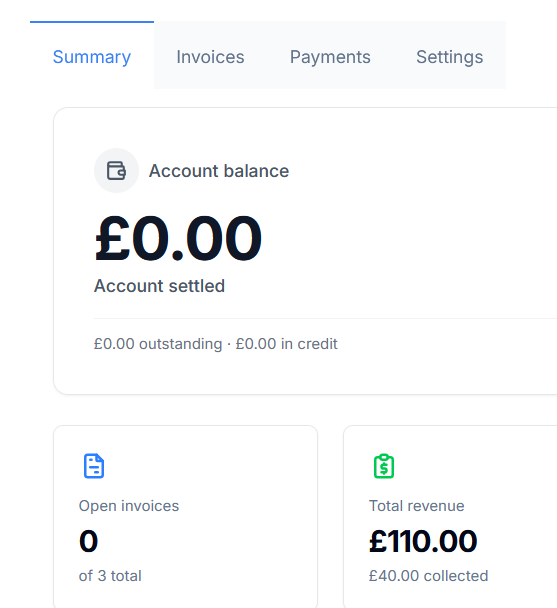
The summary below shows the correct Account balance as zero (all invoices settled) but shows Total revenue as £110 (the invoices raised) and £40 collected. The true amount collected is £110, but because the ‘update status’ field was used, the full collected amount is not showing.
The ‘update status’ field is a useful, quick way to mark invoices as paid. Is it possible that when this action is performed, a corresponding payment can be recorded in the clients payments list?
Log in to comment and vote
No comments yet
Be the first to share your thoughts.